

Is Demosmith worth it? Review, pricing and the Glimeo alternative
Choose by the demo you need to make, how you want to start and what you will really pay.
The short answer
Demosmith is worth evaluating, especially when broad language coverage and written documentation matter to your team. Both Demosmith and Glimeo now offer AI presenters and interactive demos. Glimeo also gives you several ways to supply the walkthrough and review the story. The useful question is which workflow fits the demo you need to make.
A thank-you to the Demosmith team
Demosmith recently published its own comparison with Glimeo. Thank you to their team for taking the time to explain both products and acknowledge where Glimeo can be a good fit. We appreciate thoughtful competition: clearer comparisons help customers choose, and give both teams reasons to keep improving.
Our earlier comparison needed updating too. Demosmith now offers AI presenters on paid plans. Glimeo now includes interactive companions from supported captures and seven additional language versions in Beta. This update gives both products credit for those changes.
Demosmith vs Glimeo at a glance
| What matters | Demosmith | Glimeo |
|---|---|---|
| Starting point | Product URL and instructions | Show, describe, record or upload |
| Outputs | Video, interactive walkthrough and Docusmith documentation; plan limits apply | Narrated video and an interactive companion from a supported capture; review before sharing |
| AI presenter | Available on paid plans | Optional on paid plans; your own picture and voice on Pro and Business |
| Languages | 31 for narration and captions; 28 for its presenter | English plus seven additional language versions in Beta; filmed interface stays as recorded |
| Before capture | Demo Overview to review the planned walkthrough | Storyboard approval in Describe it; demonstrate the steps yourself with Show it |
| Free option | Three-day trial, one demo, no card | One voiceover demo at signup · up to 2 min · 720p · watermark · no card |
| Monthly prices | Starter $40 · Pro $99 · Business $250 | Starter $29 · Pro $79 · Business $199 · shared credits |
Sources rechecked on 20 November 2026. Monthly list prices are unchanged. Paid plans also list social clips, product films, MCP and an API, and the page says seats are free. Original sources: Demosmith’s product overview, pricing and presenter and workflow comparison; Glimeo’s workflows, language versions and pricing.
What we like about Demosmith
Docusmith is a useful idea: turn a captured workflow into a written guide as well as a video. Its Markdown, HTML, plain-text and PDF exports give support teams more ways to reuse a demonstration. Readers still need to review the generated document before publishing.
We also give Demosmith credit for its wider published language range and interactive walkthroughs with step analytics. Those are practical reasons to try it if you serve several markets or need to understand where viewers stop. Its addition of presenters gives customers another presentation style to choose from.
When to choose Demosmith
Put Demosmith on your shortlist if documentation exports or languages beyond Glimeo’s current range are essential. Check the exact language, presenter and plan combination you need, then run a representative product task. We recommend comparing the actual results from both tools.
Where Glimeo fits
Choose Glimeo when you want several ways to capture a workflow and review its story. Describe it is in Beta. Show it lets you demonstrate the steps yourself. You can also record your own walkthrough or upload an existing recording, then add narration and an optional presenter.
After a supported video is ready, create its included interactive companion from the retained recording. Review the screens, instructions and hotspots, then share or embed it. No second recording or extra conversion credits are needed. An uploaded MP4 alone may not contain enough capture data, and interactive sharing is not yet available for projects with published or publishing language videos.
Start in English, then add Spanish (Latin America), Arabic (Modern Standard), Hindi, Indonesian, Korean, Japanese or Malayalam. Additional versions are in Beta; the filmed interface stays as recorded. Hear the language samples.
Explore how Glimeo works
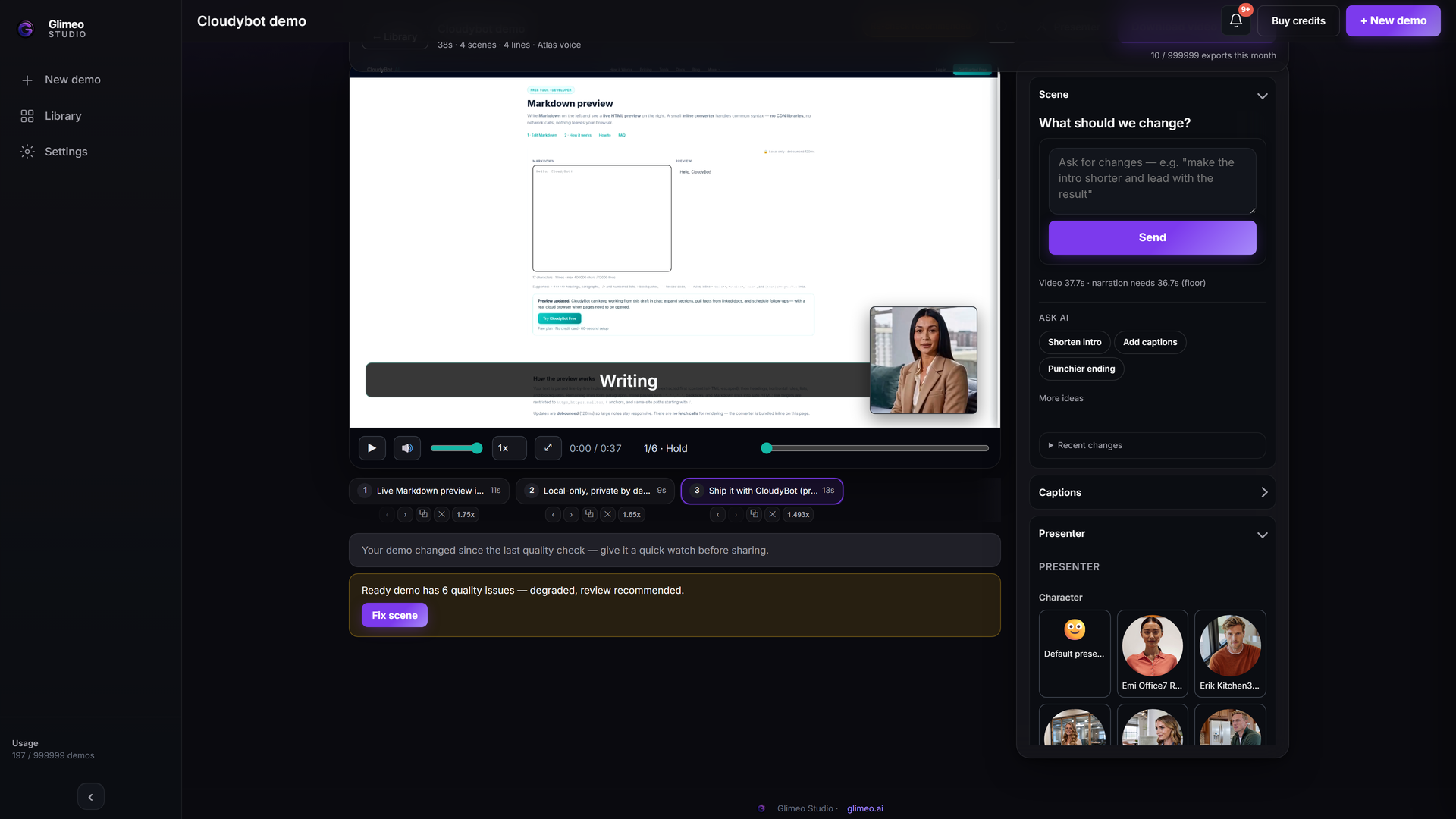 Explore Studio →
Explore an authored walkthrough of the interface and workflow. This is an interface guide, not a generated customer demo or a live editing session.
The authored walkthrough introduces Studio. For talking presenter and language samples, listen to the language previews.
How to compare the price fairly
Demosmith meters AI minutes and demo counts; presenter videos use twice the AI minutes. Glimeo uses a shared credit balance. Both approaches need a calculation for your actual video length, style and volume. Check Demosmith’s charging details.
Start with the number of finished videos, their length and the style you want. Glimeo plans use one shared credit balance: a voiceover demo uses 2 credits, and a stock talking presenter adds 2 credits per minute, rounded up. Extra language versions show a quote in Studio before you generate them. Compare equivalent outputs, not headline video counts alone.
Starter’s 30 credits make up to 15 voiceover demos or 5 two-minute stock presenter demos. These are alternative uses of the same balance. Estimate your own mix or read the full Demosmith pricing comparison.
A useful trial checklist
- Give both tools the same product task and audience.
- Check whether the video shows the right actions and result.
- Listen to narration, check captions and presenters, and review the interactive or written outputs you need.
- Compare the cost for your expected duration and monthly volume.
Questions before you choose
Does Demosmith have an AI presenter?
Yes. Demosmith offers an AI presenter on paid plans. Our earlier voiceover-only description was out of date; both tools now offer presenters.
Does Glimeo include interactive demos?
Yes. A supported finished video capture can become a guided clickable companion with no extra conversion credits. Review the screens and hotspots before sharing. Capture and language-project limits apply.
Is Demosmith worth it?
It is worth evaluating if its capture workflow, output formats and language coverage match your needs. Test your own product flow and compare the final result, plan limits and review effort.
How does Demosmith pricing compare to Glimeo?
Demosmith lists Starter at $40, Pro at $99 and Business at $250 per month. Yearly equivalents on 20 November 2026 were $33, $83 and $208 a month. Glimeo Starter is $29, Pro $79 and Business $199 per month, with shared credits. Compare what each plan produces for your video length and style, not the headline price alone.
Is there a free alternative to Demosmith?
Glimeo has a free plan: one voiceover demo at signup, up to 2 minutes at 720p with a watermark, and no card needed. Paid plans remove the watermark and add talking presenters.
Does Glimeo support more than English?
Yes. Finished English demos can gain Spanish, Arabic, Hindi, Indonesian, Korean, Japanese and Malayalam versions in Beta. Narration, captions and authored text can change; the recorded interface stays as filmed.
What does Glimeo Starter include?
Starter is $29 per month with 30 shared credits. That covers up to 15 voiceover demos or 5 two-minute stock presenter demos, or a mix within the same balance.
Demosmith pricing vs Glimeo · All Glimeo alternatives · Glimeo vs Arcade · Glimeo pricing
Create your first demo →