Product launch demo video example
Give the new feature a clear before and after.
Show a feature’s visible effect: introduce what changed, demonstrate the task and finish on the result. The structure below is a script reference, not a product launch case study.
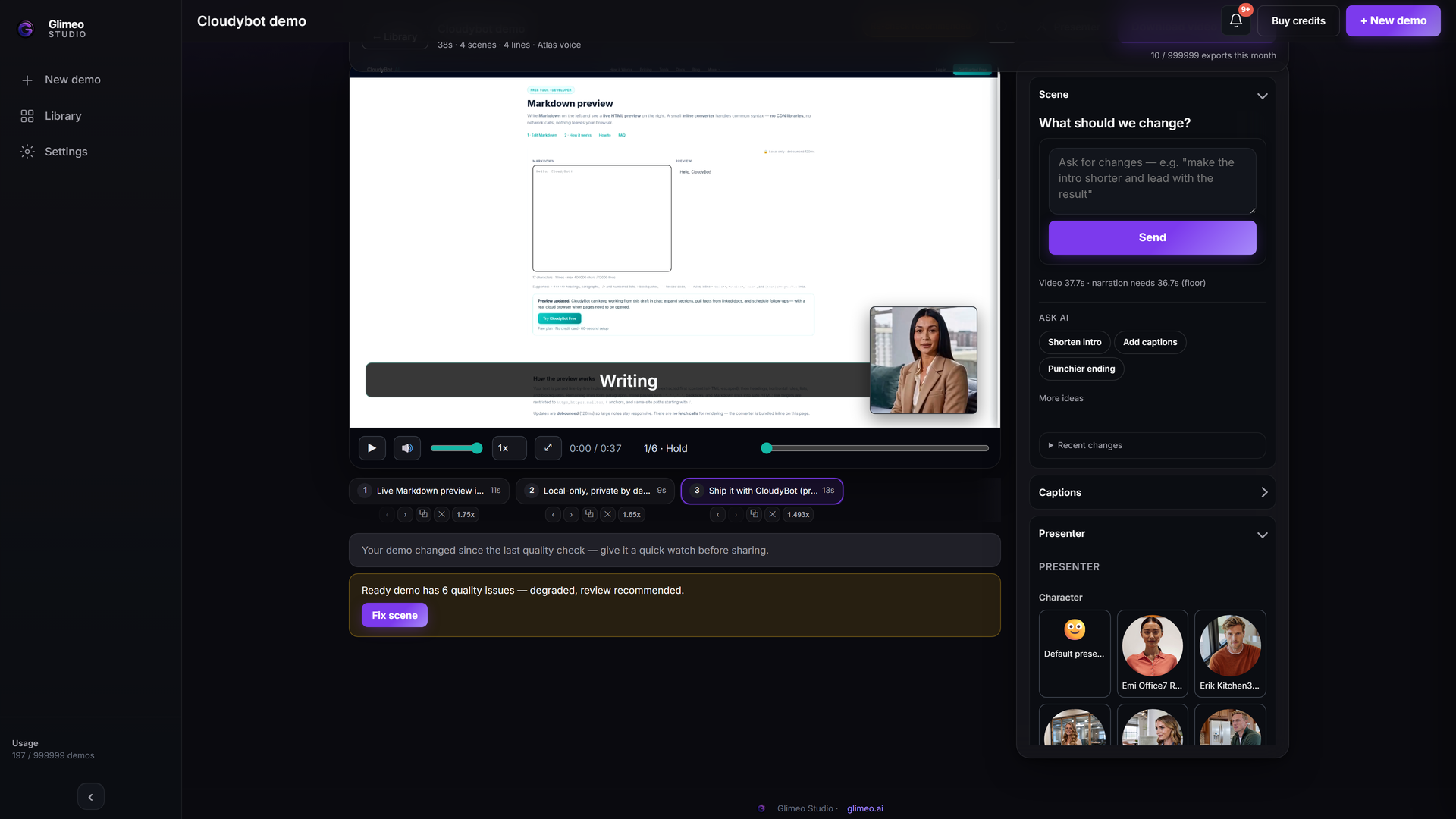 Explore Studio →
Explore an authored walkthrough of the interface and workflow. This is an interface guide, not a generated customer demo or a live editing session.
A structure to adapt
- Open on what changed. Say what is new and who it helps.
- Show it in action. Use real product footage to connect an action to its visible result.
- Give viewers somewhere to go. End with your product URL or one clear next step.
Start with this brief
Introduce [new feature] for [audience]. Show [workflow] and its visible result. End with where viewers can try it.
Add your product URL, replace the brackets and choose Show it or Describe it in Studio. Review the script and the final video before sharing.
More demo examples · Add a language version
Let the launch keep working after the video.
Post the narrated video in your launch announcement. Create its included interactive companion from the same supported capture and embed it on the landing page, so visitors can click through the new feature without signing into the product.
Finish the video, choose Create interactive demo, review the screens, hotspots and descriptions, then share. See the steps and supported sources →